Invoice Maker Tofu & Receipts
GetPaid Inc.Business
4.699.00 Reviews
- Version
- 1.2.15
- Installs
- 1.00M
- Age Rating
- Everyone
Screenshots
Our Review of Invoice Maker Tofu & Receipts
 Analysis by Appyee
When I need to turn a day’s work into a clear bill, I want to spend my time checking the details, not rebuilding the same document from scratch. That practical focus is why Invoice Maker Tofu & Receipts caught my attention. It is a business app from GetPaid Inc., and its mix of invoice creation and receipt handling makes it most relevant to freelancers and small operators who want routine paperwork close at hand.
My overall impression is that Tofu is best treated as a handy workbench for everyday billing, rather than a replacement for every part of bookkeeping. It can help keep client details and expense records together, but anyone choosing an invoicing tool should also think about how they review figures, store their official records, and hand information to an accountant. A simple workflow can save time; it should not remove the final human check.
Where it fits in a small business routine
A useful way to judge an invoicing app is to picture the moment you actually need one. Say I finish a small job at a client’s office, agree on the work completed, and want to send a bill before the day gets away from me. A mobile-first tool can make it easier to prepare that invoice while the scope and amount are still fresh. Later, I can revisit the client record instead of hunting for an old message just to re-enter their details.
That convenience is especially valuable when work is repeatable but not identical: a designer billing a returning customer, a tutor charging for another block of sessions, or a tradesperson recording a purchase tied to a particular job. The time saving comes less from any single button than from reducing small interruptions—searching for an address, copying a previous document, or trying to remember which expense belongs in the books.
I would still keep a deliberate review step before sending. Confirm the client, description, amount, and any relevant tax treatment against your own records. Templates and saved details make entry faster, but they can also carry an old address or outdated wording into a new invoice if you accept everything without looking. Speed is useful only when the final bill is still accurate.
Choosing it over spreadsheets or accounting software
Compared with a spreadsheet, an invoice-making app is appealing when I want a more guided process and reusable client information rather than a blank grid that I must format and maintain. A spreadsheet can be more flexible, and it may be enough for someone who sends very few bills and already has a tidy system. The trade-off is that I have to build and police that system myself.
Full accounting software is the more sensible choice when invoicing is only one piece of a larger operation. If I need a connected view of bookkeeping, tax preparation, payroll, inventory, or detailed financial reporting, I would compare dedicated accounting products before relying on a lightweight invoicing workflow. Tofu’s appeal is its narrower, more approachable task: helping with invoices and receipts without making the user begin with a complicated finance setup.
There is also a middle ground. I can use an invoicing app for creating and organizing day-to-day documents while maintaining a separate accounting process for formal records and periodic review. That division works only if I have a dependable way to reconcile the two; otherwise, separate tools can create duplicate work or leave expenses out. Before committing, I would test one ordinary invoice and one receipt from start to finish and see whether the resulting records fit the way I already manage my business.
Current state and what the version tells me
The app is free to install, with in-app purchases listed from $2.99 to $99.99 per item. It has an average rating of 4.4 from around four thousand ratings, and more than one million installs. Those figures suggest that it has found an audience, but they do not tell me whether a particular paid option is worth it for my own workload. I would first identify which tools I genuinely need and check the purchase terms in the app before building a routine around them.
Invoice Maker Tofu & Receipts was released on December 19, 2023, and its current version is 1.2.13. That gives me a concrete point of reference for the product’s present state, not a basis for claiming a particular feature was added or changed. The practical question for an existing user is whether the version available on their device behaves reliably for the tasks they do every week. I would keep the app current when updates are available, then check that saved client and expense information still appears as expected before relying on it for an important billing run.
It is rated for Everyone and requires Android 6.0 or later. That broad age rating is not a recommendation for children to handle business accounts; the app is plainly aimed at work. The Android requirement is useful to know if you are considering installing it on an older phone. If your device is below that minimum, or if you need a workflow that works across a particular mix of devices, confirm compatibility before moving your records into a new system.
What I would check before depending on it
My main caution is about the boundary between convenient records and dependable accounting. Receipt capture can reduce manual entry, but a recognized amount or date should be treated as a draft until I have compared it with the image. A quick check is especially worthwhile when a receipt is faint, folded, or crowded with several totals. I would also add a short note while the purchase is fresh—what it was for and which job it relates to—because a category alone may not answer that question months later.
Payment choices deserve the same careful look. A client being able to pay from an invoice can make the path from request to payment feel simpler, but the right arrangement depends on the client’s preferences and the business’s own payment process. Before making that the default, I would check which payment methods are available to me and whether any fees or account requirements apply. If a customer prefers a bank transfer or another established method, a polished invoice should still make the agreed instructions easy to follow.
I would skip this kind of app if I rarely invoice, prefer a carefully maintained spreadsheet, or need extensive accounting controls in one place. I would also hesitate if my business relies on complicated tax rules or a multi-person approval process; those needs call for a closer comparison with full accounting software. For a solo worker with repeat clients and regular receipts, though, a focused mobile tool may be a more comfortable starting point than a sprawling finance suite.
Simplified Invoicing at Your Fingertips
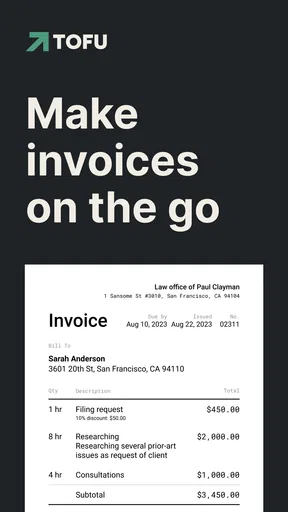
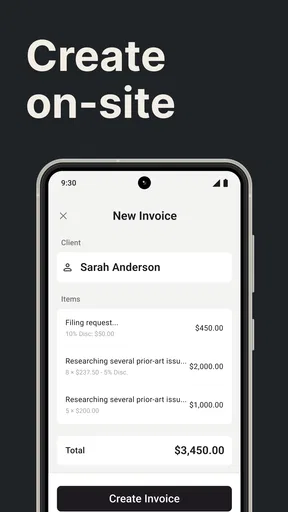
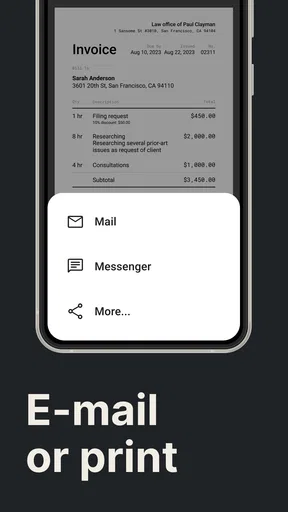
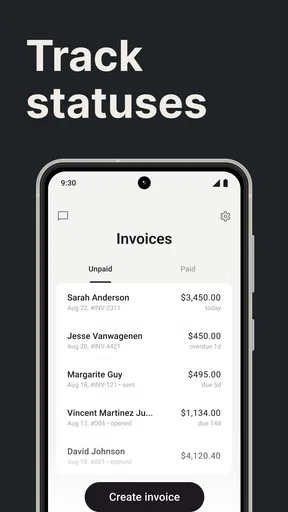
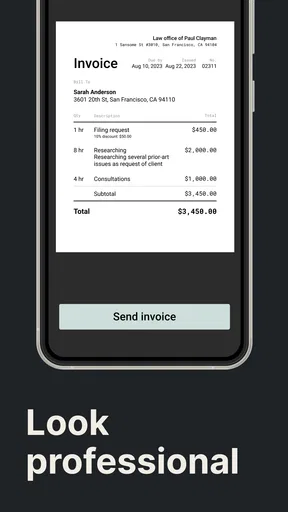
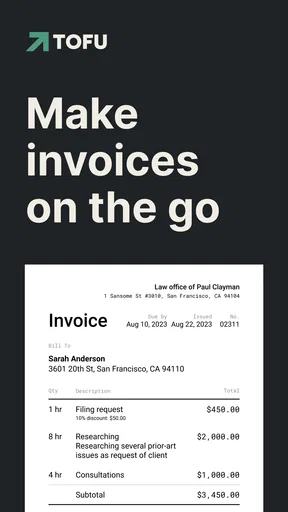
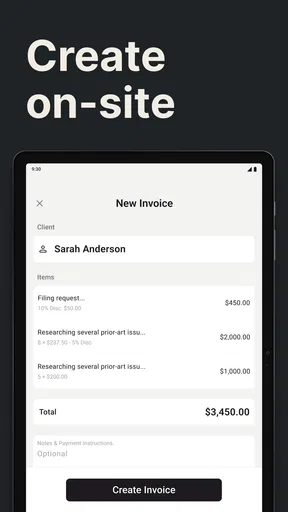
First off, let's talk about the main feature—creating invoices. The user interface is sleek and super intuitive. You don't need to be an accounting wizard to get things rolling. Once you open the app, you’re greeted with a straightforward dashboard that allows you to create, send, and manage invoices in just a few taps. I found it incredibly helpful that you can customize your invoices with your logo and brand colors, making them look professional without the hassle.
What really stood out is the app's ability to save client information. Say goodbye to repeatedly typing out client details! Once saved, you can pull up a client's info in a jiffy, making repeat invoices a breeze. This feature is a real time-saver, especially when you're juggling multiple clients.
Receipts and Expense Tracking Made Easy
Now, onto receipts and expenses. Tracking expenses is usually a chore, but Invoice Maker Tofu & Receipts makes it feel less like pulling teeth. You can snap a photo of your receipt, and the app automatically extracts the necessary details. This automation is a lifesaver and reduces the margin for error significantly. Plus, you can categorize expenses, which is super helpful come tax season.
It also offers insightful analytics. You can see where your money is going at a glance, helping you keep tabs on your spending habits. It’s like having a mini financial advisor in your pocket, without the hefty fees.
Seamless Integration and Accessibility
One of the coolest features is the cloud integration. Whether you're on your phone, tablet, or computer, your data syncs seamlessly across devices. I love that I can start an invoice on my phone and finish it on my laptop without missing a beat. This cross-device functionality is a must-have for anyone who's constantly on the go.
The app also integrates with popular payment platforms, allowing your clients to pay directly through the invoice. This not only speeds up the payment process but also gives a professional touch to your business dealings.
A Few Quirks to Note
While the app is pretty solid overall, there are a couple of quirks. Occasionally, the OCR for scanning receipts can be a bit finicky, especially with crumpled or faded receipts. It's not a dealbreaker, but something to keep in mind. Also, if you're just starting out, the plethora of features might seem a bit overwhelming. However, once you get the hang of it, you’ll appreciate the depth it offers.
Another thing to note is that while the basic version of Invoice Maker Tofu & Receipts is free, some advanced features require a subscription. It’s worth considering if you handle a high volume of invoices or require detailed analytics.
Final Thoughts
All in all, Invoice Maker Tofu & Receipts is a robust tool for freelancers and small business owners. It's designed to streamline your invoicing and expense tracking processes, allowing you to focus more on growing your business rather than drowning in paperwork. Whether you’re a seasoned entrepreneur or just starting, this app is worth checking out.
If you're ready to bring some order to your financial chaos, give it a whirl. You might just find it’s the missing piece in your business puzzle. Happy invoicing!
Verdict
Strengths of Invoice Maker Tofu & Receipts
- User-friendly interface for quick navigation.
- Customizable templates for professional invoices.
- Supports multiple currencies and languages.
- Integrates smoothly with accounting software.
- Offers offline access for uninterrupted use.
Limitations of Invoice Maker Tofu & Receipts
- Limited free version features may restrict usage.
- Occasional sync issues with cloud services.
- No option for direct payment processing.
- Customer support response can be slow.
- Ads in free version can disrupt workflow.
Similar Picks in This Category
View All
LinkedIn: Community & Network
LinkedIn3.8

Zoom Workplace
zoom.com4.1

Microsoft Teams
Microsoft Corporation4.6

Meta Business Suite
Meta Platforms, Inc.4.6

Webex Meetings
Cisco Systems, Inc.4.5

TeamViewer Remote Control
TeamViewer4.4
Frequently Asked Questions
What features does Invoice Maker Tofu & Receipts offer?
Invoice Maker Tofu & Receipts provides a comprehensive suite of features designed for small businesses and freelancers. Users can create professional invoices, manage receipts, track expenses, and generate financial reports. Additionally, it supports multiple currencies and offers customization options for branding and layout, making it versatile for various business needs.
Is Invoice Maker Tofu & Receipts easy to use for beginners?
Yes, Invoice Maker Tofu & Receipts is designed with user-friendliness in mind. Its intuitive interface allows even beginners to navigate through invoice creation and expense tracking with ease. The app offers step-by-step guides and templates, which help users quickly understand its functionalities without needing extensive technical knowledge.
Can I use Invoice Maker Tofu & Receipts offline?
Invoice Maker Tofu & Receipts offers offline capabilities, allowing users to create and edit invoices without an internet connection. However, syncing data and accessing cloud storage features will require connectivity. This flexibility is ideal for users who need to manage their finances on the go or in areas with limited internet access.
Is my financial data secure with Invoice Maker Tofu & Receipts?
Security is a priority for Invoice Maker Tofu & Receipts. The app uses encryption protocols to protect your financial data. Additionally, it offers secure cloud storage options and regular updates to ensure data integrity and protection against unauthorized access. Users can feel confident that their information is safe.
Does the app support integration with other financial tools?
Yes, Invoice Maker Tofu & Receipts supports integration with various financial tools and platforms. Users can connect the app to accounting software like QuickBooks and Xero, as well as payment gateways such as PayPal and Stripe. This integration streamlines financial management and enhances the app’s functionality.
